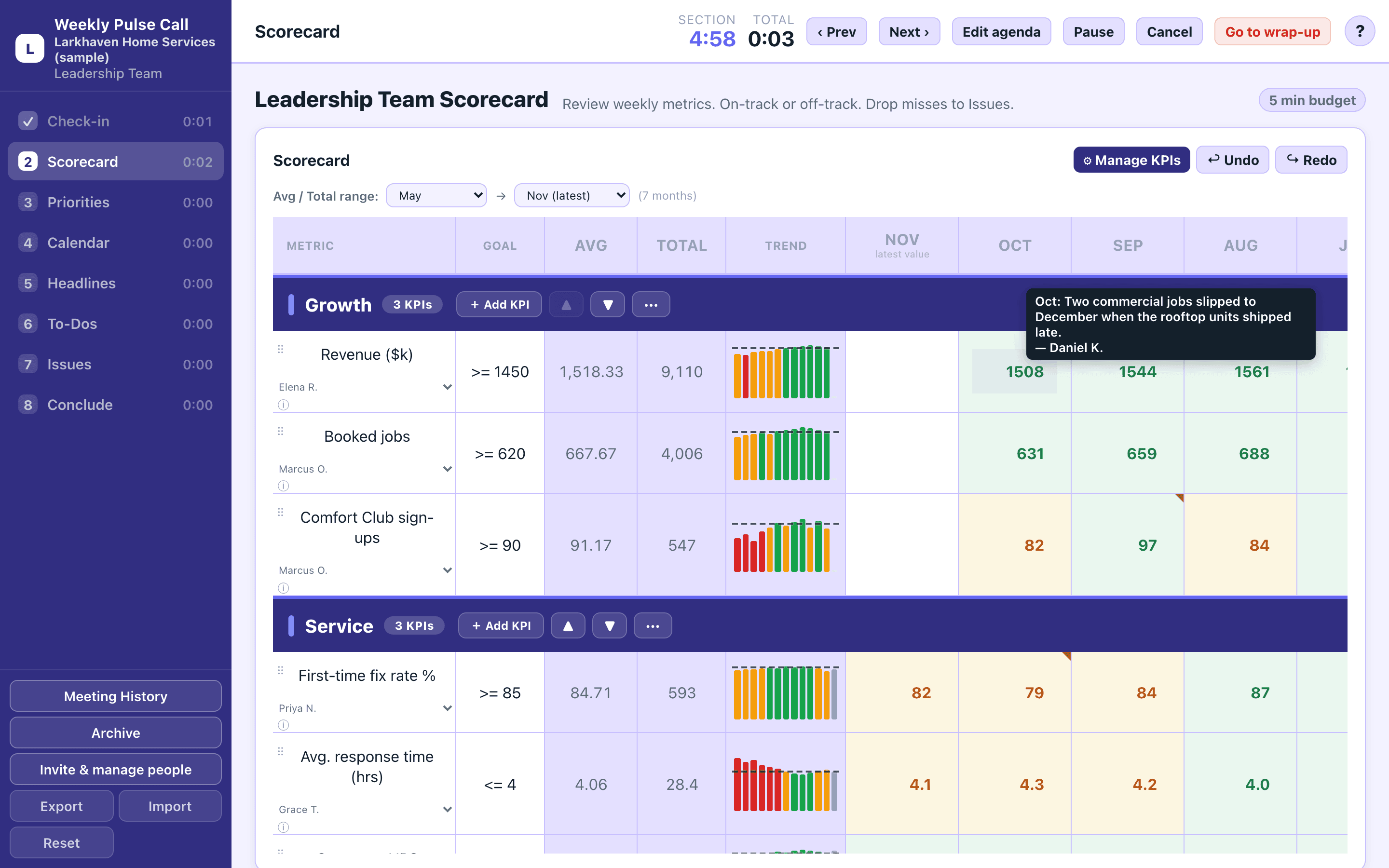
Monthly KPIs with goals, trend bars and a note on any month. Amber means close; red means missed.
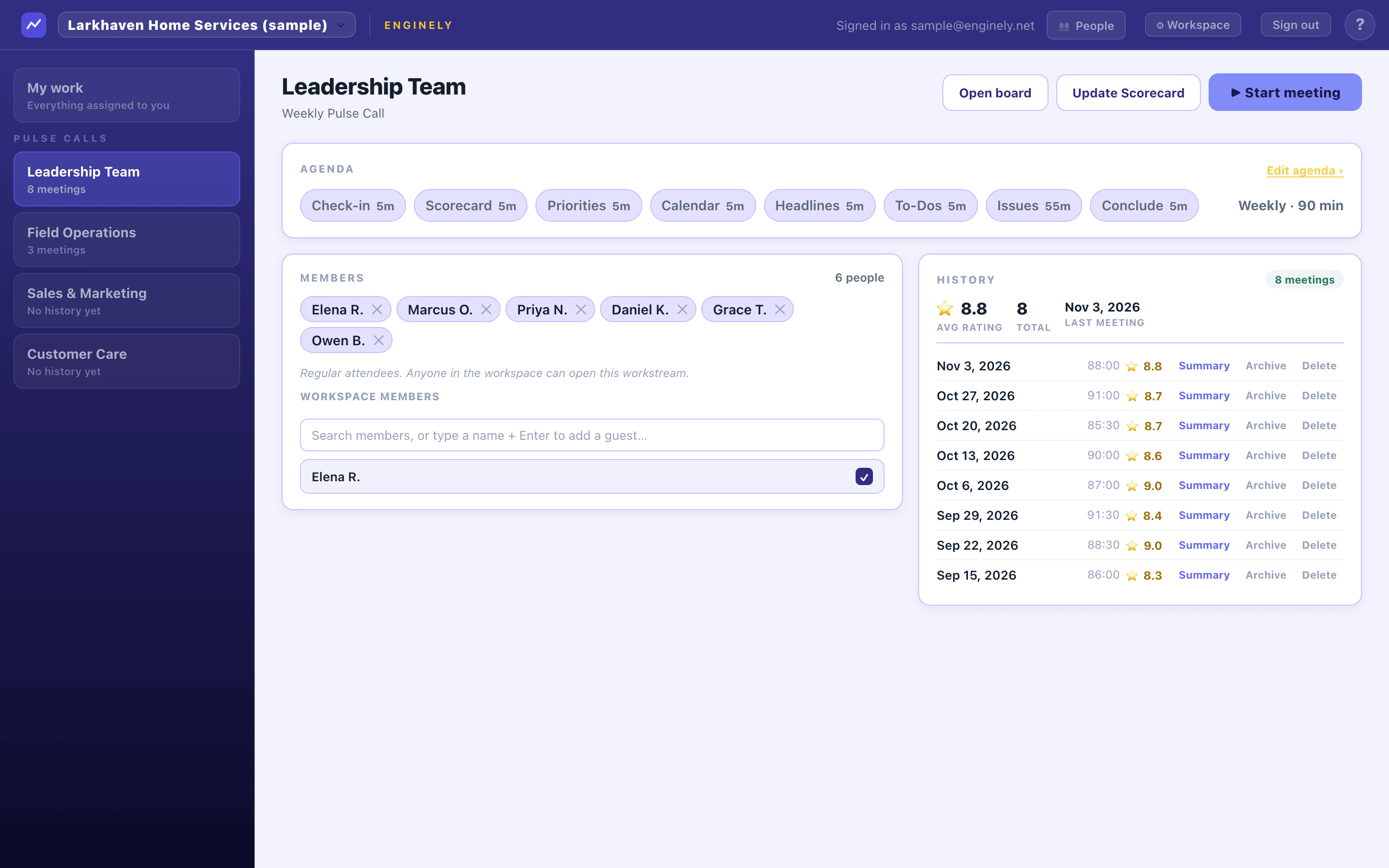
Ninety focused minutes. Same shape, every week.
Enginely runs a timeboxed agenda where most of the meeting is spent actually solving issues — not reporting status. Hover a segment to see what happens in it.
Everything the meeting needs. Nothing it doesn't.
Scorecard
Monthly KPIs with owners and goals. Trend bars with a goal line, amber when a month comes close, and a note on any month so nobody has to ask why it dipped.
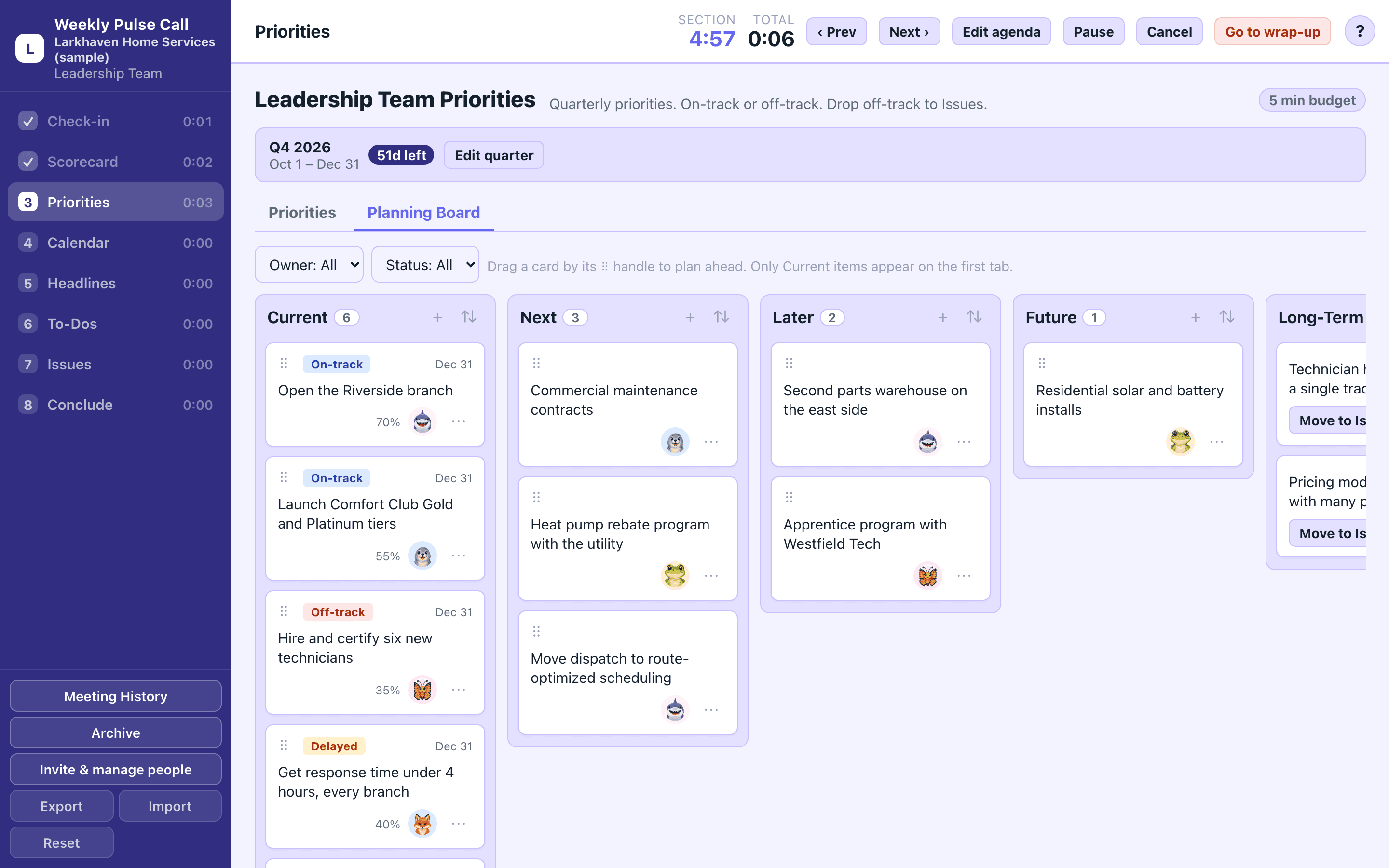
Priorities and Planning Board
Quarterly priorities marked on track, off track or delayed in the meeting. The Planning Board lines up what comes next, later and someday, so next quarter starts with a list.
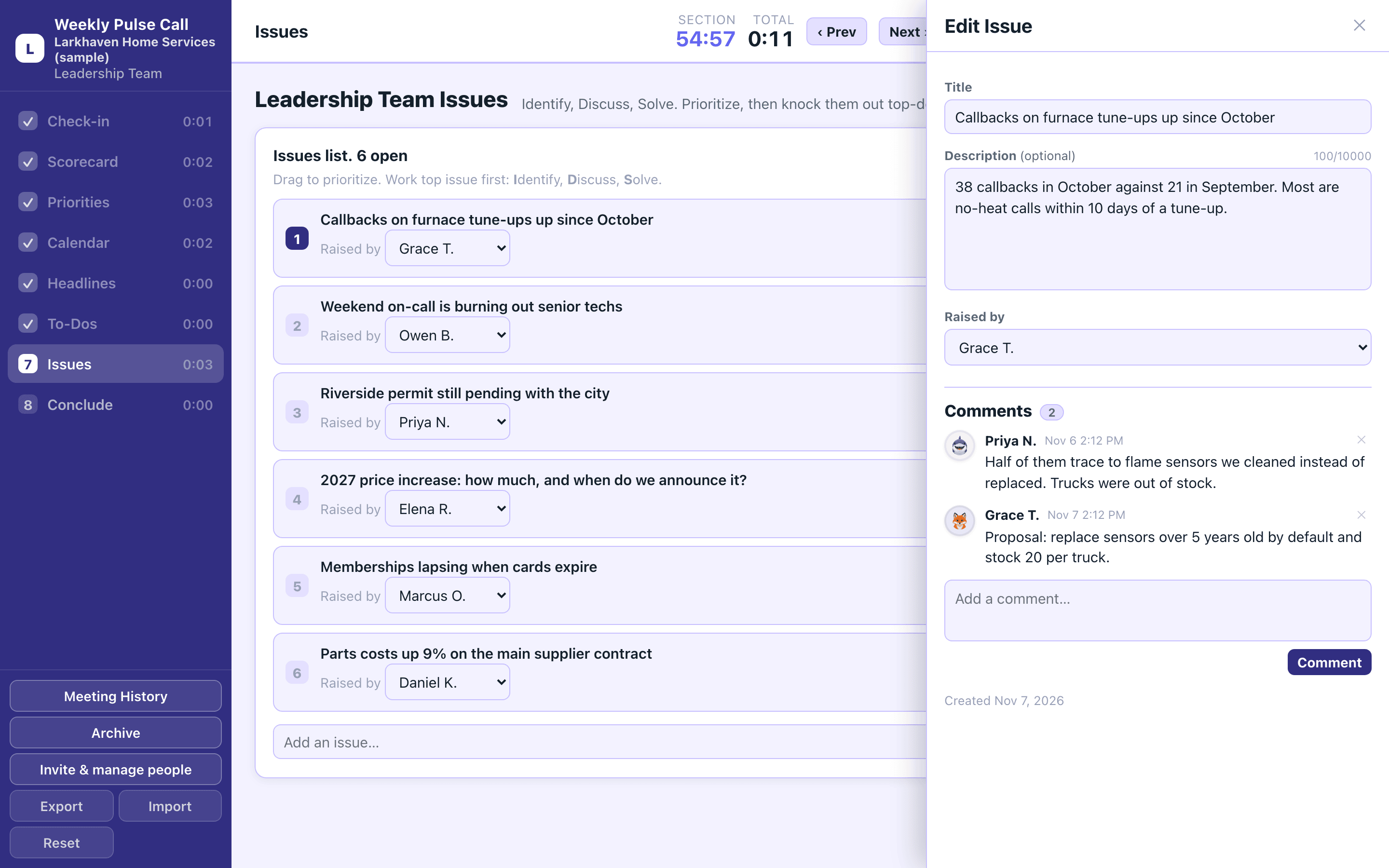
Issues that end in a decision
The longest block of the meeting, worked top-down. Each issue can carry a description and a comment thread, and leaves the room with an owner and a to-do.
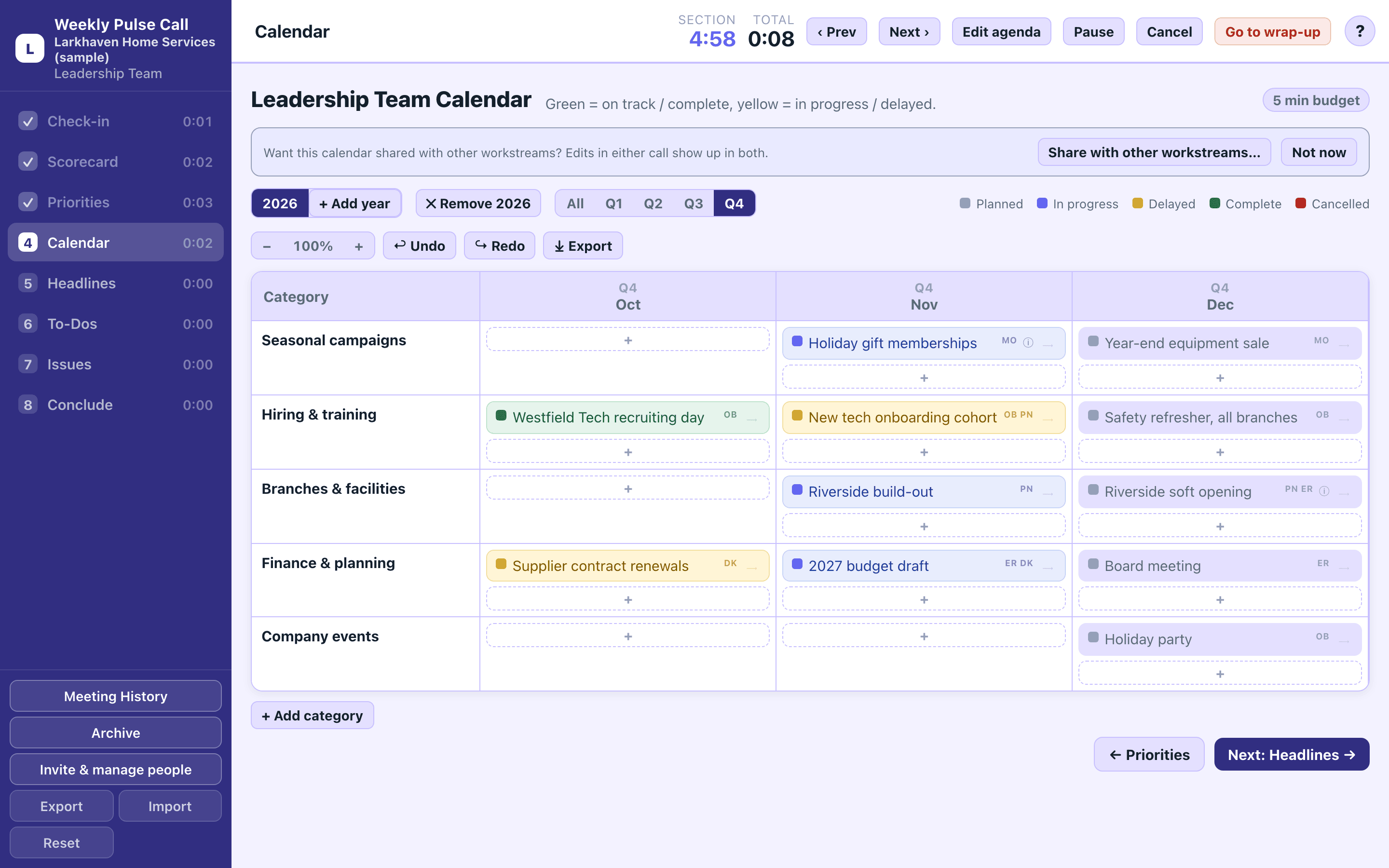
Year calendar
Campaigns, hiring, launches and deadlines on one year view. Every entry has a status and the people on it, and the year exports to Excel.
My work
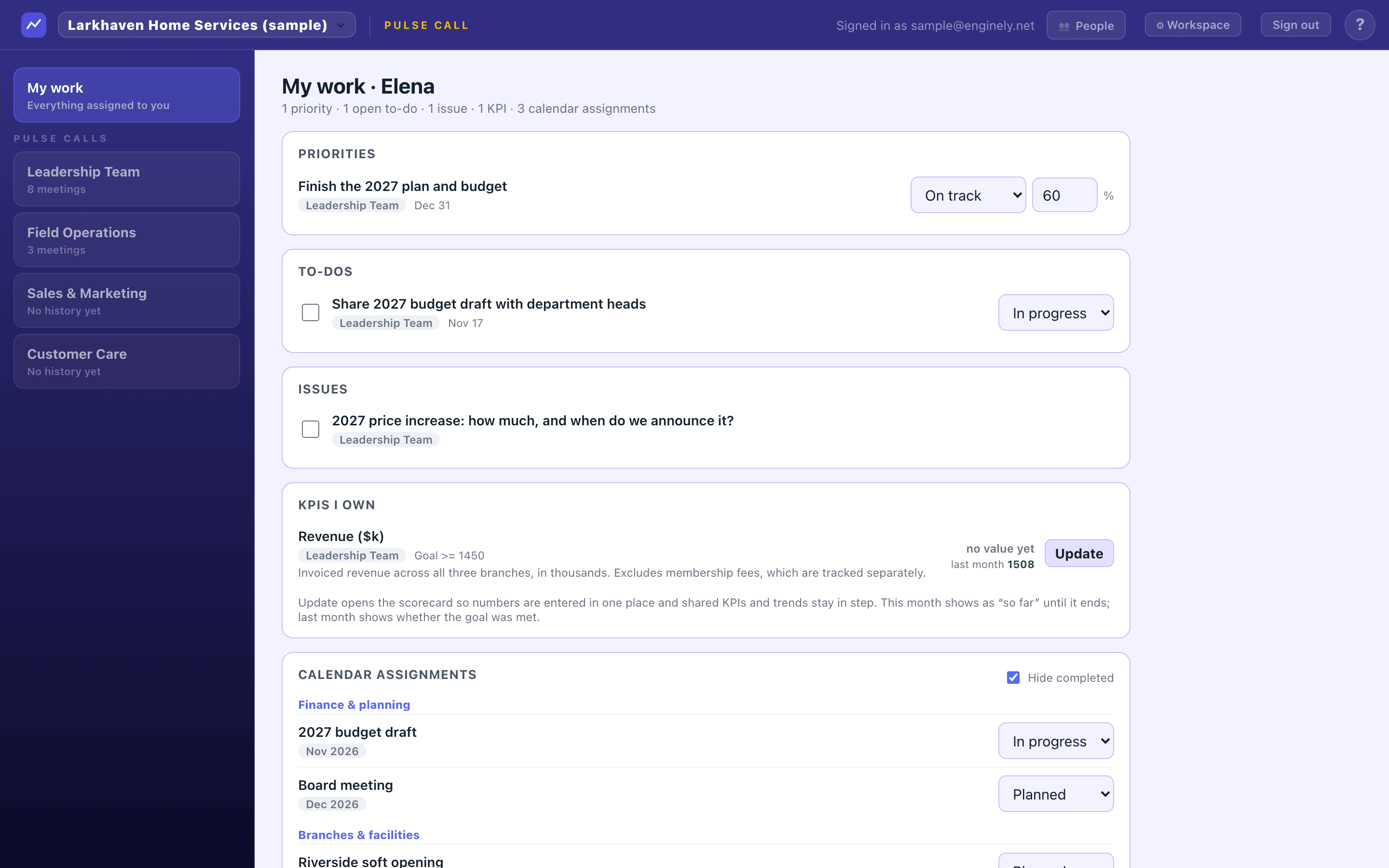
One page for each person with the priorities, to-dos, issues, KPIs and calendar entries they own, from every workstream. Update a status or a number without waiting for the meeting.
Your agenda, timed
Rename, reorder and retime sections, add your own with a checklist, and turn ratings off for large meetings. A section timer keeps the meeting on schedule.
Shared KPIs
Show another workstream's KPI on your scorecard, read-only and always current, so the same number never gets typed twice.
Private workstreams
Keep a leadership team's meetings, board and history to the people who belong there. Everyone else sees only that the workstream exists.
Leads who run it
Owners choose who leads each workstream. Leads decide who else joins, so access follows the team, not an admin's inbox.
The meeting is weekly. The work isn't.
Open any team's board between meetings to add an issue, move a priority or enter this month's numbers. Edits from several people merge instead of overwriting each other, and everyone's My work page stays current.
- Enter a KPI once; the owner sees it on My work as "so far" until the month closes.
- Drag priorities across the Planning Board as plans change.
- Comment on an issue before the meeting so the discussion starts further along.
- Attendees get a summary email when the meeting ends, and a Monday digest recaps last week's meetings.
The sample runs in your browser with a made-up company. No sign-up.
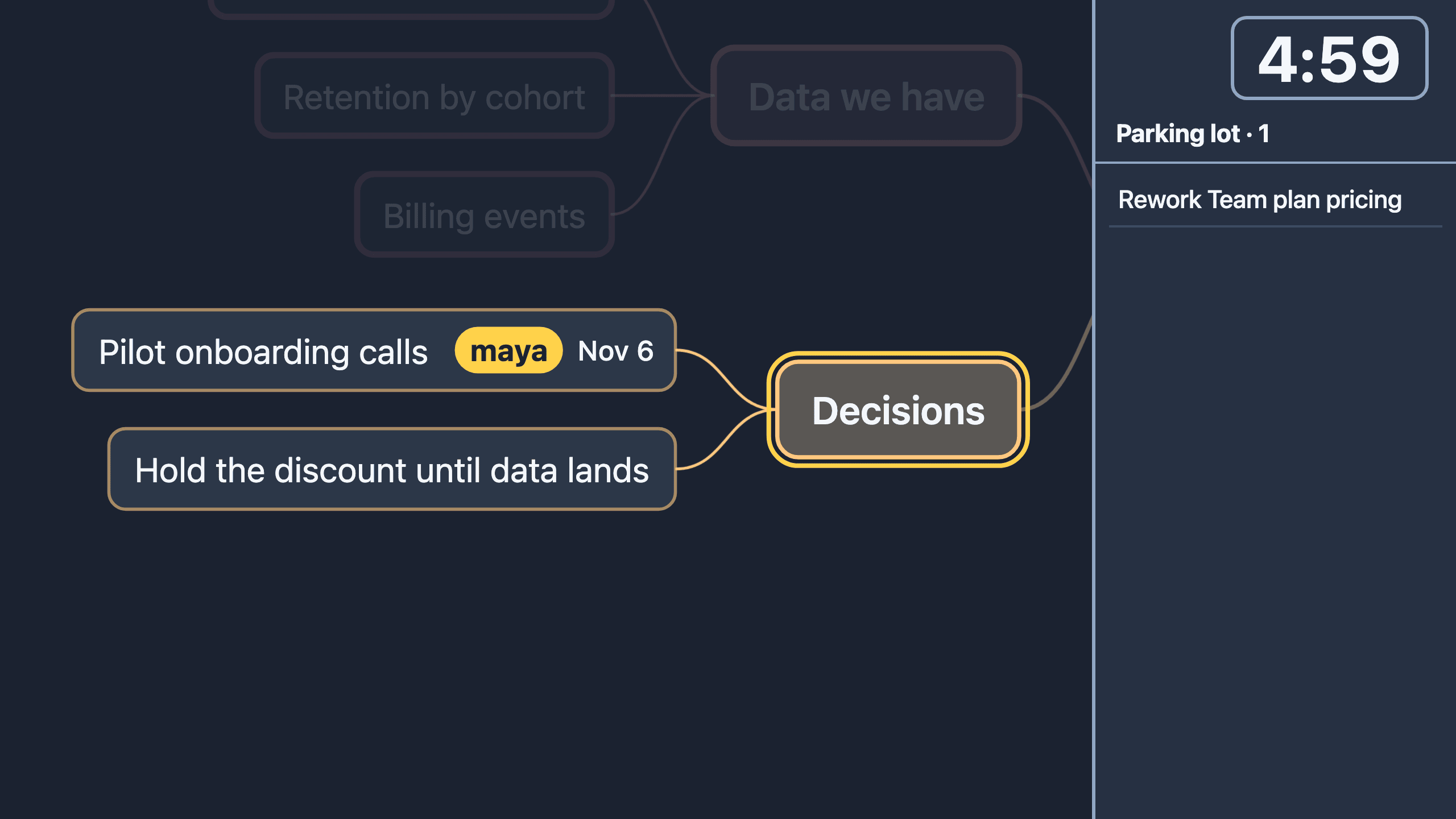
When an issue needs a whiteboard.
Press Workshop on any issue and Enginely Stage opens over the meeting with the issue at the center. Map it out together, then send it back: action items become to-dos with owners. Stage also works on its own as the mind map for meetings over Zoom, with a readable screen-share mode and a follow link that needs no account.
Free during early access.
Keep the rhythm. Drop the bloat.
The structured-meeting category is powerful, but the legacy tools are slow and expensive. Enginely keeps what works and strips the rest.
Start your first steady week.
Set up your team, pick your metrics, and run your first 90-minute meeting this week. Free for teams up to 10.