Run a meeting with a parking lot, timer and action items
Enginely Stage is the mind map for meetings over Zoom. L parks an off-topic node, T starts a five-minute timer and @owner ^due makes an action item. The Markdown export lists each action item with its owner and date.
How does the parking lot work?
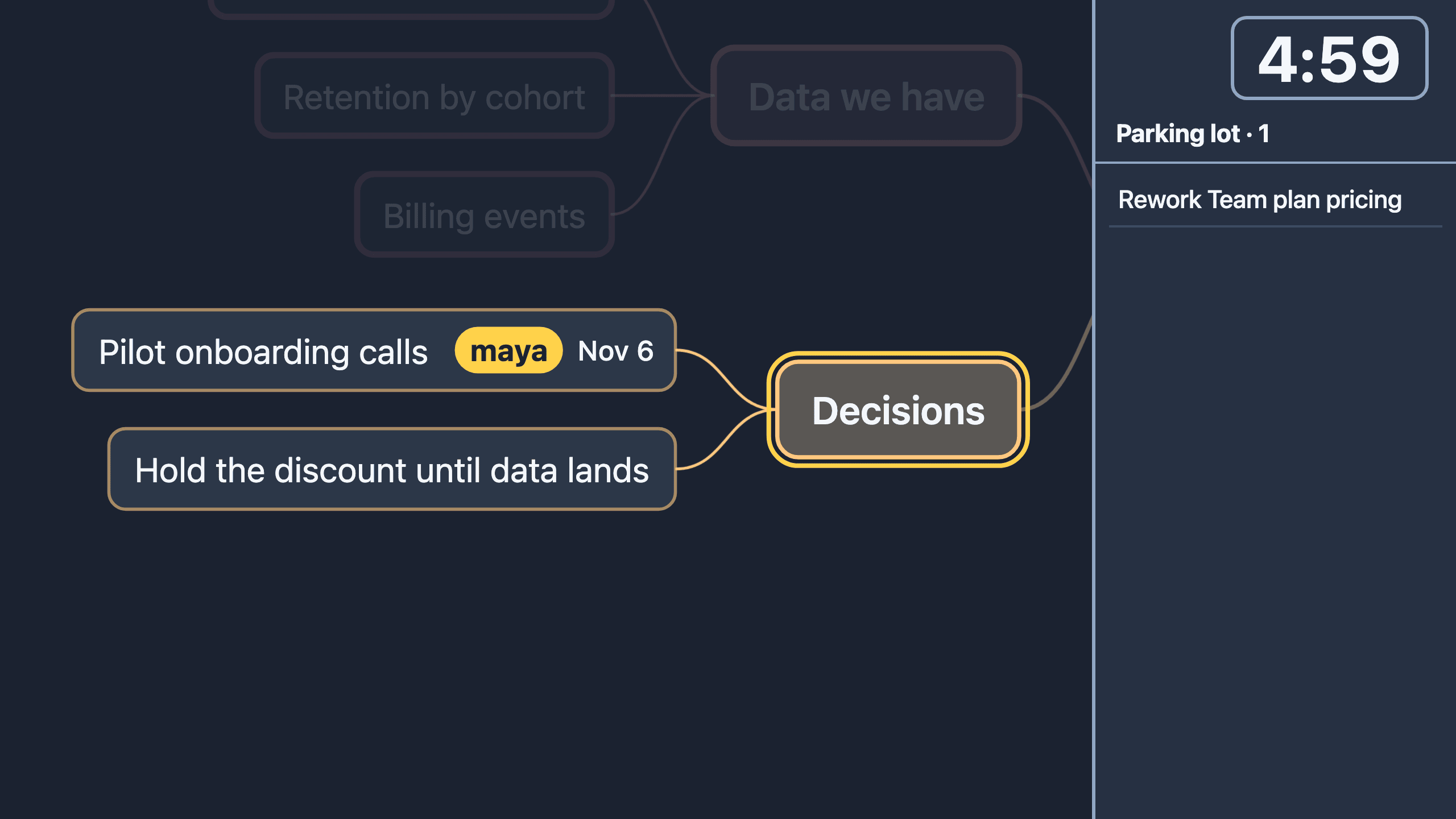
Select the off-topic node and press L; it moves to the parking lot panel at the right of the stage. The palette (Cmd/Ctrl K) restores it. The parking lot is saved with the document and exported as its own section.
How does the timer work?
T starts a 5:00 countdown at the top right of the stage, and pressing it again adds 5:00. It turns the accent color under one minute and pulses at 0:00. For one timer per branch, select the branch, press F, then T.
How do I make an action item?
End a node's text with @owner and ^due:
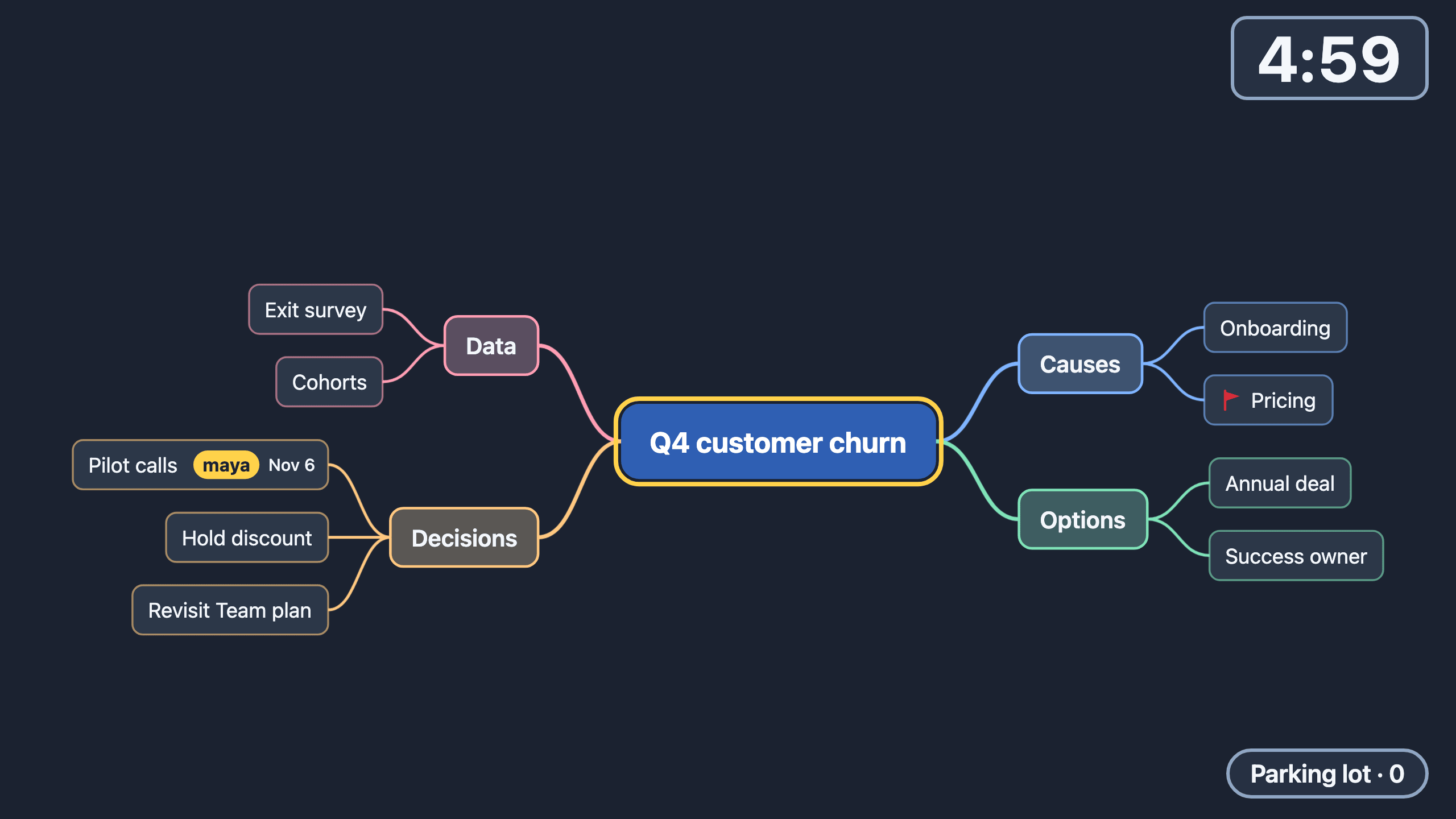
Send the deck @sam ^friWhen you commit (Esc, Enter, Tab or selecting another node), the tokens leave the text. The node reads "Send the deck" with a sam chip and next Friday's date.
^ accepts 2026-11-15, today, tomorrow, fri, next-week and nov-15. A token that does not parse, such as ^soon, stays as typed, and one undo restores what you typed.
The palette also has Set owner, Set due date, Clear due date and Toggle done. Action items opens a panel listing every item by due date.
What leaves the meeting?
Export as Markdown ends with an ## Action items section, for example - [ ] Send the deck (sam, 2026-11-06), ordered by due date. The file imports back without loss; the format is in Markdown to mind map.
What is a two-minute closing routine?
- Press Esc to return to the whole map.
- Open Action items from the palette and read the list aloud, owner by owner.
- Check the parking lot for topics that need a follow-up meeting.
- Export as Markdown and send the action items section.
Weekly teams can compare this with IDS issue solving in the Enginely weekly meeting.
Frequently asked questions
What counts as an action item?
Any node with an owner, a due date or a done mark. It is a filter over the tree, not a separate list, so Markdown and OPML carry it automatically.
Do I have to type the tokens?
No. The palette has Set owner and Set due date, and both accept plain words like fri or in 3 days.
Can followers see the timer and parking lot?
Yes. Followers see the presenter's timer, parking lot, owner chips and due dates on their phones.
Does the timer need an account?
No. Nothing in Stage needs an account; the timer is saved with the document in your browser.